Harvest time should be about operations, not endless data entry. Cultivators already juggle tags, weights, compliance, tracking, and timelines — the last thing you need is another screen to update.
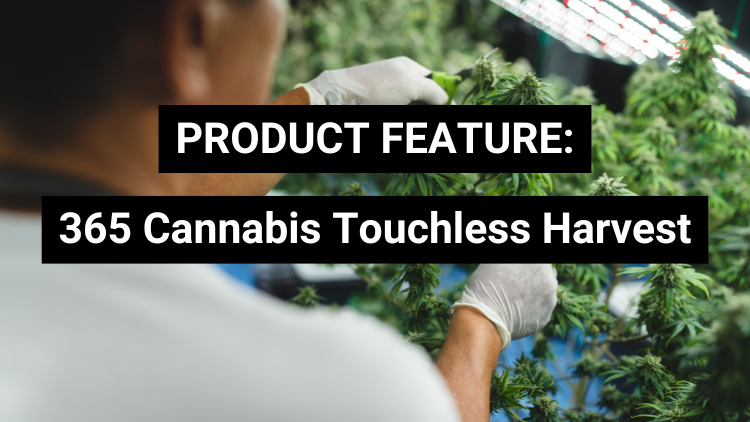
That’s why 365 Cannabis built the Touchless Harvest feature: a simplified harvest workflow inside your ERP that gets rid of repetitive manual updates so teams can focus on what matters — harvesting.
Watch how it works below:
What Is Touchless Harvest?
Touchless Harvest is an automated harvest workflow inside the 365 Cannabis cultivation module that:
- lets users scan plant tags quickly
- captures weights with minimal manual entry
- automatically updates the ERP with tagged weights
- helps with compliance data capture with fewer clicks
In short, it speeds up harvest processes while reducing manual data entry, which means fewer errors, less labor time, and cleaner compliance records.
Why Touchless Harvest Matters for Cannabis Cultivation:
Harvest workflows are heavy on repetitive work:
- scanning plant tags one by one
- switching between screens
- manually typing weights
- reconciling data later in ERP
That takes time — and time during harvest equals labor cost and risk of mistakes.
Touchless Harvest eliminates that friction by combining scanning and automated weight capture, letting your team:
- get plants weighed faster
- reduce clicks and typing
- capture accurate weight data in real time
- keep compliance tagging tight and auditable
How Touchless Harvest Works:
Step 1: Scan your plant tag
Cultivation tech scans the plant tag with a barcode or RFID reader.
Step 2: Weigh the plant
The system captures weight automatically with your connected scale.
Step 3: ERP updates happen in the background
No manual field updates, no copy/paste — just accurate harvest data flowing into 365 Cannabis.
This workflow is especially powerful for large-scale cultivators who process hundreds or thousands of plants per session.
The Real Benefits: Time Saved, Clicks Reduced, Errors Limited
Here’s what teams see right away:
Faster Harvest Sessions
Touchless scanning and weight capture means teams move through harvest lines quicker.
Less Manual Data Entry
Fewer fields to type, fewer screens to navigate, fewer mistakes to correct.
Cleaner Compliance Records
Accurate weights and timestamps update directly into the system so compliance reporting is ready when regulators ask.
Better Labor Efficiency
Your harvest crew spends less time on screens and more time in the canopy.
Common Harvest Questions Touchless Harvest Solves
- Can the system automatically capture plant weights?
Yes — weight data is collected with minimal manual interaction. - Do I still need to enter tags manually?
No — tags are scanned and connected to the correct plant record automatically. - Is this good for large harvest operations?
Yes. It’s optimized for high-volume harvests where clicks slow you down. - Will this help compliance tracking?
Absolutely — it captures key data automatically and links it to the plant record in your ERP.
Why Cannabis Cultivators Love Touchless Harvest
Cultivation is fast and data heavy. The last thing your team wants is to slow down during a peak harvest window to update screens.
Touchless Harvest helps teams:
- eliminate repetitive clicks
- reduce human error
- keep data cleaner
- speed up labor-intensive harvest work
- improve compliance confidence
When harvest is running smoothly, operations look better — and that matters for productivity, labor cost, and audit readiness.
Want to See Touchless Harvest in Action?
Watch the walkthrough and see how effortless harvest workflows become with touchless scanning and weight updates.
Schedule a live demo with a 365 Cannabis expert

Still have questions about how Touchless Harvest works in real cultivation workflows? Here are the most common questions cannabis operators ask when looking to reduce harvest labor, speed up weight capture, and improve compliance tracking.
Frequently Asked Questions About Touchless Harvest
What is Touchless Harvest in 365 Cannabis?
Touchless Harvest is a feature within the 365 Cannabis cultivation module that streamlines the harvest workflow by reducing manual data entry. It allows teams to scan plant tags and record weights faster with fewer clicks.
How does Touchless Harvest work?
Touchless Harvest works by letting cultivation staff scan plant tags and capture weight data quickly, without needing to manually update each plant record. The system updates harvest tracking in the ERP automatically, making the process faster and cleaner.
Does Touchless Harvest reduce manual data entry during harvest?
Yes. Touchless Harvest is designed specifically to eliminate repetitive manual updates during harvest. It speeds up weight entry and reduces the amount of typing and clicking required.
Who benefits most from Touchless Harvest?
Touchless Harvest is especially useful for large scale cultivators harvesting high volumes of plants. It helps teams move faster, reduce labor time, and keep harvest data organized.
How does Touchless Harvest improve cannabis compliance tracking?
Touchless Harvest helps improve compliance by capturing plant tag and weight data more accurately and consistently. Since fewer steps are manual, there is less risk of missing or incorrect harvest records.
Can Touchless Harvest reduce harvest labor costs?
Yes. By streamlining harvest workflows and cutting down on manual data entry, Touchless Harvest helps teams complete harvest faster, which can reduce labor hours and improve productivity.
Is Touchless Harvest part of the 365 Cannabis cultivation module?
Yes. Touchless Harvest is built directly into the 365 Cannabis cultivation module, so harvest data flows directly into your ERP system without needing separate tools or manual reconciliation.
Where can I see a demo of Touchless Harvest?
You can watch the Touchless Harvest walkthrough video on YouTube, or reach out to your account manager to see how it works in your environment and how much time it could save your cultivation team.